
AI News · Week 2226 May 2026
Google I/O 2026 in five minutes.AI is leaving the chat window.
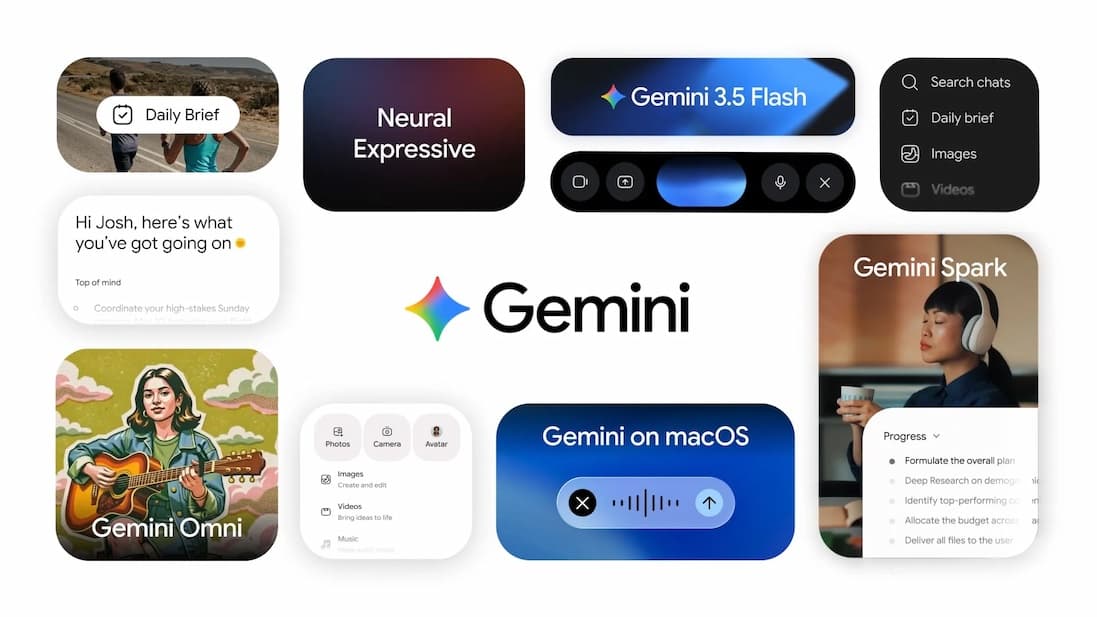
Google presented a flood of updates at I/O 2026: agentic search, Gemini Spark, Gemini Omni and the Neural Expressive design language. On top of that come three new features from OpenAI that point in the same direction: AI is moving straight into the tools you work in every day.
01 · Google I/O
Google Search becomes an agent.
Google has had AI Mode since last year. What is new is how deeply it is now being built into classic search. Google calls it the biggest overhaul of the search bar in more than 25 years: it expands dynamically, accepts images, PDFs, videos or open Chrome tabs as input and merges AI Overviews and AI Mode into one seamless flow. Gemini 3.5 Flash runs in the background as the new default model. AI Mode now has more than 1 billion monthly users.
On the model itself: Gemini 3.5 Flash is only just behind Claude Opus 4.7 and GPT-5.5 in the intelligence score, yet costs around a third ($1.50 / $9 per 1 million tokens versus $5 / $25 to 30 for the competition) and is considerably faster. It is strong in agentic workflows, tool use and multimodality. For pure reasoning tasks and complex coding, the flagship models from Anthropic and OpenAI remain ahead. The downside: compared with its direct predecessor, Gemini 3 Flash, the price has risen roughly 3-fold. Measured against the competition, it still offers very strong value for money.
Two things are genuinely new in search: Information Agents, which monitor websites, prices and news for you around the clock, and mini apps as an answer format in place of the classic list of links. There are also agentic booking functions for local services. Follow-up questions from AI Overviews are available worldwide. Information Agents and mini apps launch in the US this summer for AI Pro and AI Ultra, with Germany to follow later.
What does this mean for you?
Tracking competitor prices and industry news by hand will become a job for agents. For shop operators, this also means that clean feeds, schema markup and reviews matter more, because search visualises results dynamically instead of merely pointing to links.
02 · Google I/O
Gemini Spark: Google’s answer to Claude Cowork and Codex.
Google is catching up on agentic tools. Gemini Spark is a personal AI agent that runs around the clock on its own cloud machine, even when your computer is switched off. It gets its own Gmail address for task tickets and native access to Gmail, Docs, Drive and Calendar. Use cases shown in the demo: prioritising the inbox, tracking deadlines, building a quarterly report from the last ten sets of meeting notes.
Gemini Spark is currently available only in the US, in beta and exclusively for AI Ultra (around €100 per month). A European rollout is still open.
What does this mean for you?
If you work with Google Workspace, this gives you an agent that natively understands the whole tool set, comparable to Claude Cowork or OpenAI Codex. Until Spark arrives in Europe, it is worth documenting your own workflows in such a way that an agent can take them over later.
03 · Google I/O
Gemini Omni: editing video in conversation.
Google is applying the Nano Banana principle to moving images. With Gemini Omni you upload a clip, say by voice what you would like changed, and get the result back in the conversation. Cuts, style and scene changes are created through voice input alone. Google is thereby going straight for post-production, where Veo has so far acted only as a generator.
Gemini Omni is available now in the Gemini app, Google Flow and YouTube Shorts, and can be used straight away in Germany too.
What does this mean for you?
A concrete test: upload an existing product reel and adjust the tone, cut or structure by voice. What used to take 30 minutes in editing software now happens in conversation.
04 · Google I/O
Neural Expressive: the chat window gets a redesign.
With Neural Expressive, Google has introduced a new design language for the Gemini app. Answers no longer appear as a block of text but as visually prepared cards, timelines or magazine-style layouts, depending on what suits the question.
The real point: Claude and ChatGPT already introduced this in recent months, and Google is now following suit. In addition, Generative UI is coming to Google Search, visualising results dynamically instead of only showing links. Generative UI is thus becoming the standard. The rollout is under way worldwide on the web, Android and iOS, and no subscription is required.
What does this mean for you?
Anyone who still thinks of AI as a pure text generator is falling behind. Answers arrive as tables, tools and dashboards. That also changes how you phrase tasks: not “write me a text about X” but “build me the overview of X”. The system chooses the format itself.
05 · OpenAI
Codex controls your Mac, even with the screen locked.
At Codex Thursday, OpenAI rolled out four updates. The most striking: Codex operates desktop apps on the Mac from the iPhone, even when the computer is locked and the screen stays off (“Locked Use”). The agent clicks, types and navigates in real programs without anyone sitting in front of them.
There is also Goal Mode (working autonomously towards a goal for hours or even days), Appshots (pulling screen context live into the agent) and an Annotation Mode for feedback on web pages. Currently in beta, on Mac only and for ChatGPT Business, Pro, Edu and Enterprise.
What does this mean for you?
The coding assistant is no longer just a tool on call but takes on work that previously required a person at the computer. A concrete lever: automating old desktop tools without an API, such as accounting, inventory management or old ERP interfaces. The agent clicks its way through while you are in a meeting.
06 · OpenAI
ChatGPT moves straight into PowerPoint.
OpenAI has integrated ChatGPT as a sidebar directly in Microsoft PowerPoint. Slides are created and revised by instruction, based on uploaded notes, spreadsheets, images or existing decks. Connectors to Gmail, Outlook and SharePoint are included. Currently in beta for ChatGPT Free, Plus, Pro and Business.
What does this mean for you?
If you regularly build pitch decks, quarterly reports or training materials, you save yourself the constant switching between chat window and Office. Test it once on a real deck and observe how much friction actually disappears.
07 · OpenAI
ChatGPT fills in forms by voice.
OpenAI is linking image upload and Voice Mode: you upload a photo of the form, talk through what should go in, and get the completed document back. The vision model recognises the fields, the voice stack transcribes the answers, and the same context writes them back into the image. Three modalities in a single pass.
What does this mean for you?
A classic use case for any office: delivery note, complaint, insurance form, travel expense claim. 20 minutes of typing become a conversation on the side. The output is currently a static image, not an editable PDF. For internal templates, that is usually enough.
To close.The key point of the week.
The common thread this week: AI is leaving the separate chat window and moving straight into the tools people work in every day: search, slides, forms, desktop.